We've enhanced the security of our myMAS Member Portal through multi-factor authentication. This means that a single secure email login will replace your MAS Member number.
Everyone who accesses myMAS will need to set up an account using their own unique email address. Shared emails can’t be used, as each login must be linked to an individual for security reasons. This includes accounts for children, they will need to be set up with a different email address not already used in myMAS.
Please note if you have an organisation or trust account, only key personnel (like directors, shareholders and trustees) will be able to set up an account. Please contact us on 0800 800 627 if you need assistance with this.
This process will only takes a few minutes and below is an easy step-by-step guide.
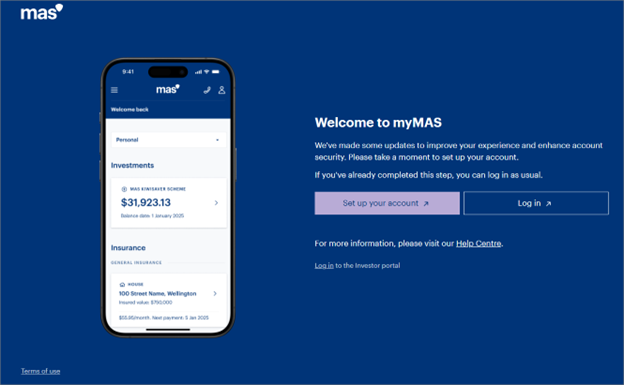
Step 1: Go to the login page
Go to the myMAS login page, you will be prompted to set up your account. Select the ‘Set up your account’ option and follow the instructions.
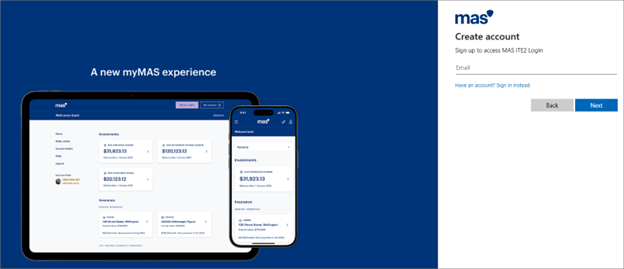
Step 2: Enter your email address
Enter the email address you wish to create your myMAS account with. Please note: the email address you set up your account with will also be used to send you correspondence from MAS in accordance with your email preferences for personal products, not necessarily joint or organisaton. Every account needs it's own unique email address, you can't use the same email for multiple myMAS accounts.
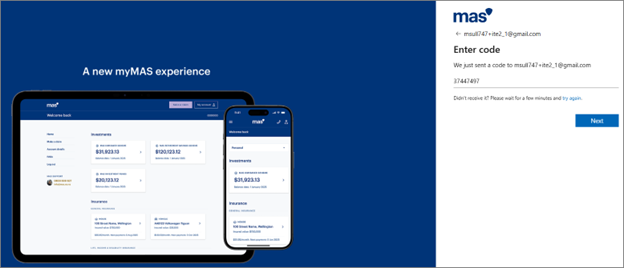
Step 3: Enter the email code
A one-time passcode will be sent to this email address. Enter this code into the field provided. There is an option to resend a code if it didn't arrive.
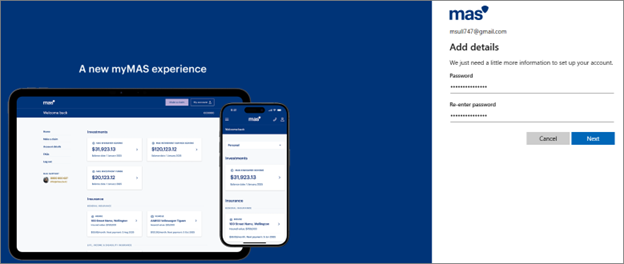
Step 4: Create a password
Create a password for this account and re-enter it to confirm.
Your password must be a minimum of 8 characters long and contain at least 3 out of the 4:
- lowercase letter (a–z)
- uppercase letter (A–Z)
- number (0–9)
- special character (! @ # $ % ^ & *)
Common or easily guessed passwords such as Password123, Welcome1, 1234abcd will not be accepted.
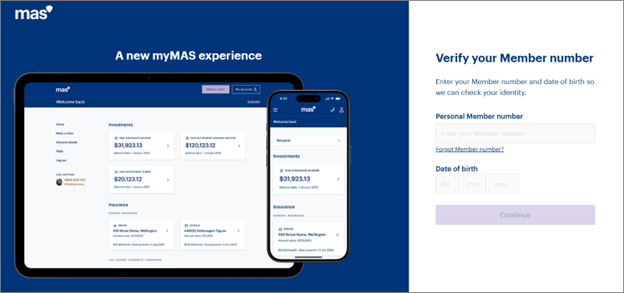
Step 5: Enter your Member number
You now need to link your personal Member number to your myMAS account. Enter your personal Member number (please enter only digits) and date of birth.
You may have more than one Member number depending on the products and kind of account you have with us. If you can't locate it, just give us a call on 0800 800 627 and we can help you.
Once your Member number is validated, you will be logged in.
Troubleshooting and support
If you encounter any issues during the set up process, refer to the help centre for guides and FAQs. If you need further assistance, you can contact our support team on 0800 800 627.